
iPhone Duo
iPhone Duo screen sizes: a cheat sheet for every pose
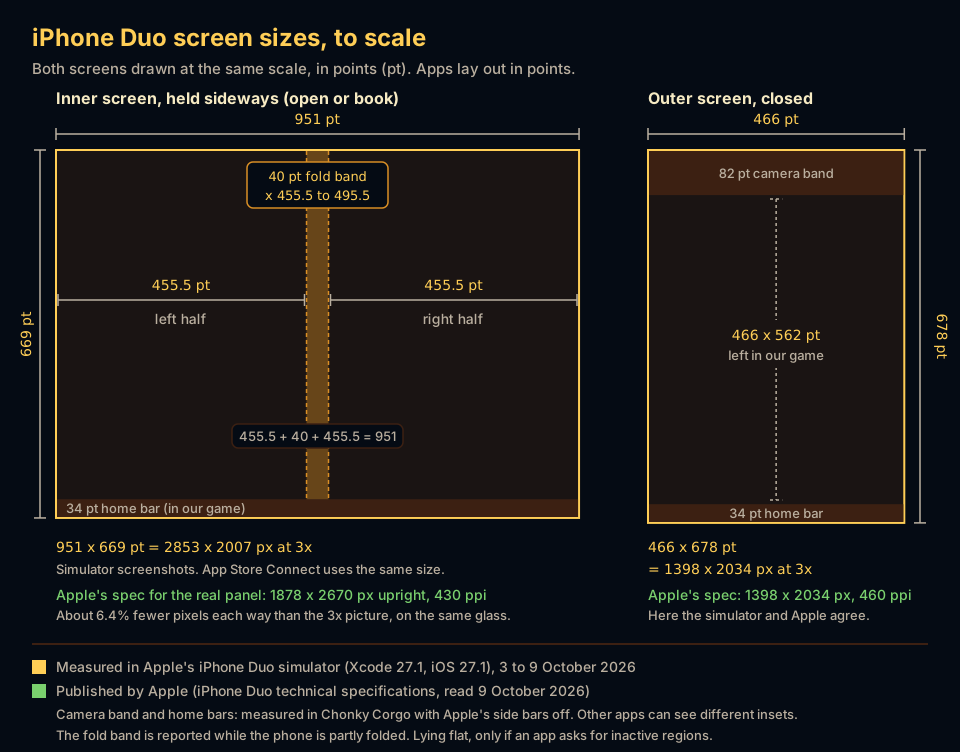
Closed, iPhone Duo's outer screen is 466 x 678 points at 3x, or 1398 x 2034 pixels. Open, the inner screen is 951 x 669 points held sideways and 669 x 951 upright. Folded like a book, a 40-point fold band starts 455.5 points in. The outer screen is compact width and the inner screen is regular both ways.
iPhone Duo has two screens and folds in the middle, so 'what size is the screen?' has five or six right answers. This page puts them all in one place: points, pixels, scale, where the fold sits and which size classes Apple uses. It is for curious players and for indie developers who want the numbers without opening Xcode.
A disclosure first: we make Chonky Corgo, a walking game, and we measured these numbers while building its iPhone Duo version, which was in testing for version 2.1 when we measured. Nobody could buy an iPhone Duo yet, so the measurements come from Apple's iPhone Duo simulator in Xcode 27.1, between 3 and 9 October 2026. Where Apple publishes a different number, we show both.
What are the iPhone Duo screen sizes in points?
Apps lay out in points, not pixels. Closed, the outer screen is 466 x 678 points. Open, the inner screen is 951 x 669 points held sideways and 669 x 951 points held upright. Folding the phone does not change those sizes. It adds a 40-point fold band down the middle that apps should keep clear of.
| Pose | Screen | Points (width x height) | Pixels at 3x | Where the fold sits | Size classes (width / height) |
|---|---|---|---|---|---|
| Closed, upright | Outer, 5.4 inches | 466 x 678 | 1398 x 2034 | No fold on the outer screen | Compact / regular |
| Closed, sideways | Outer | 678 x 466 (worked out from Apple's screenshot size) | 2034 x 1398 | No fold on the outer screen | Compact / compact |
| Open flat, sideways | Inner, 7.6 inches | 951 x 669 | 2853 x 2007 | Flat, so no fold is reported unless an app asks for inactive regions. Then it is x 455.5 to 495.5 | Regular / regular |
| Folded like a book, sideways | Inner | 951 x 669 | 2853 x 2007 | A 40-point band from x 455.5 to 495.5, so each page is 455.5 points wide | Regular / regular |
| Open upright, flat or propped half open | Inner | 669 x 951 | 2007 x 2853 | Runs across the screen from y 455.5 to 495.5, reported only while folded | Regular / regular |
| Split View, sideways, one app | Inner, half | About 469 wide (measured 9 October 2026) | Not measured | Not measured | Apple has not published it |
Two notes on the table. We did not measure the closed phone held sideways, because our game stays upright on the closed screen, so that row divides Apple's screenshot size by three. And 455.5 + 40 + 455.5 = 951, so the fold sits exactly in the middle and both halves are the same size. If the pose names are new to you, our poses guide shows each way to hold the phone.
Why does Apple list 1878 x 2670 pixels for the inner screen?
Because the real panel has fewer pixels than the simulator draws. Apple's iPhone Duo specs list the inner screen at 1878 x 2670 pixels and 430 pixels per inch. The simulator, and App Store Connect's screenshot sizes, use 2007 x 2853, which is exactly 3x of 669 x 951 points. The outer screen has no such gap.
Both numbers describe the same glass. The simulator's device file gives the inner screen 460 pixels per inch, and 2007 / 460 is 4.36 inches. Apple's 1878 / 430 is 4.37 inches. So the real inner panel has about 6.4% fewer pixels each way than the 3x picture, on a screen of the same size.
Apple has not said how the phone bridges that gap. Our reading is that apps still lay out in 669 x 951 points at a scale of 3, and the system fits the finished picture onto the panel, at about 2.8 pixels per point. That is our inference, not Apple's statement. Apple's own advice covers it either way: read the scale from the trait collection instead of assuming one. For App Store screenshots, use App Store Connect's 2007 x 2853.
Where does the fold sit on iPhone Duo?
Dead centre. Held sideways, the fold is a 40-point band from x 455.5 to 495.5, out of 951 points. Held upright, the same band runs across the screen from y 455.5 to 495.5. Apple's ReservedRegion API reports the band while the phone is partly folded. Lying flat, it shows up only when an app asks for inactive regions too.
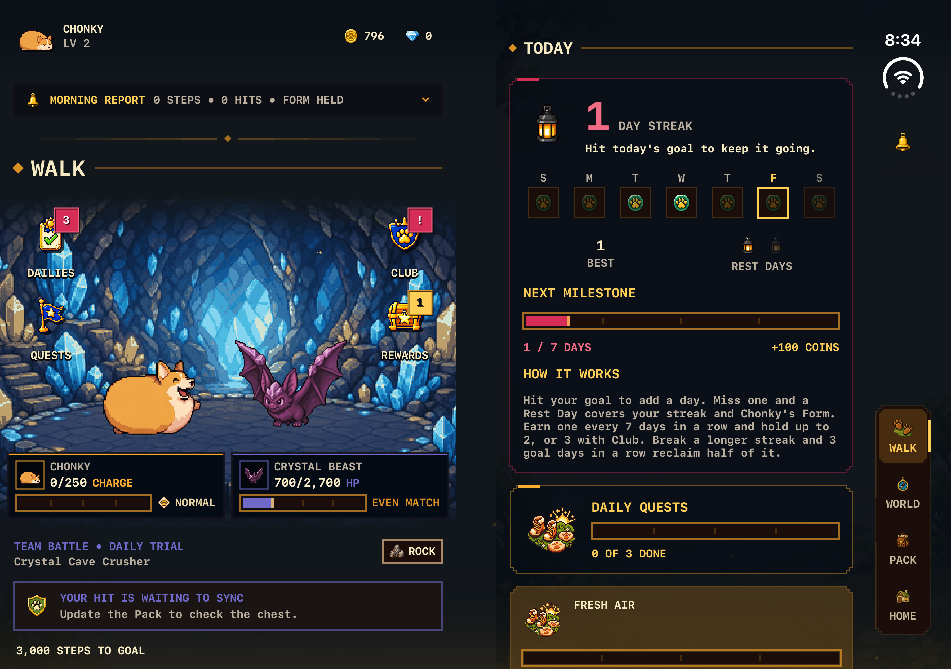
Apple's design guidelines say the folding region divides the inner screen into separate usable regions when the phone is partly open. Apple suggests an even number of columns in a grid, so content divides cleanly, and keeping important elements clear of the centre. Apple's 'Strike a pose' talk puts it simply: a photo spread across a book's spine stops reading as one picture.
How much of each screen can an app actually use?
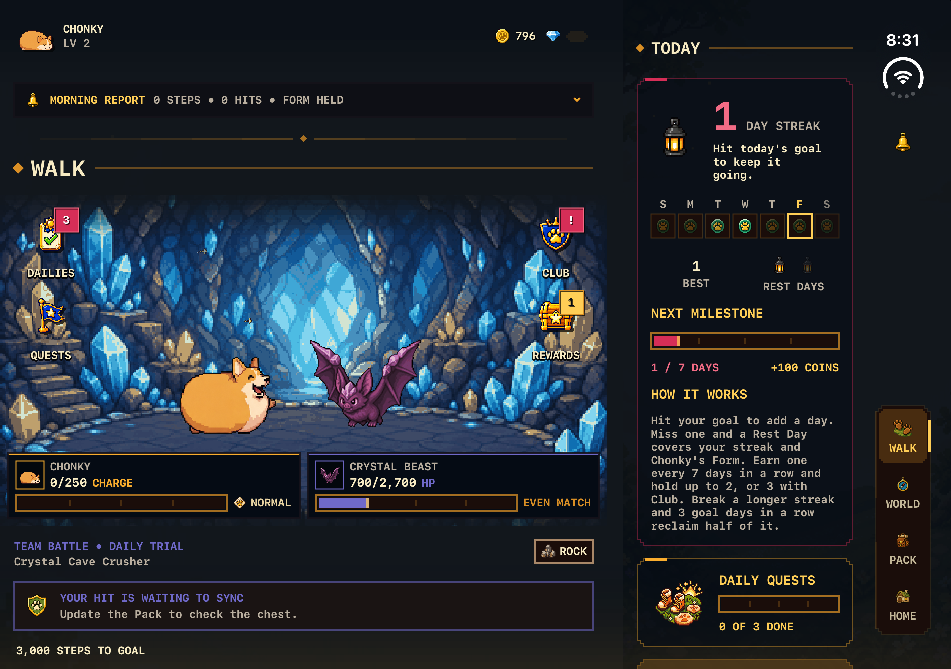
Less than the full screen, because of the camera and the home bar. In our game, with Apple's side bars off, the closed screen left 466 x 562 points: an 82-point camera band on top and a 34-point home bar below. Open, the home bar left 951 x 635 points sideways and 669 x 917 upright.

That 82-point band is not what every app sees. Before we turned the side bars off, iOS kept an 83-point strip down the right side of the closed screen instead, and a hidden system bar still reserved an 84-point column. Apple's guidelines explain why: on iPhone Duo, toolbars, tab bars and the status bar move to the side of the screen, and the outer camera sits in the corner, lined up with those controls.
The open phone held upright is the exception. Apple's guidelines say the inner screen in portrait has enough height to keep normal horizontal bars at the top and bottom. Held sideways, the controls stay on the side, so they do not jump when you open the phone.
Which size classes does iPhone Duo use?
Apple's 'Prepare your app for iPhone Duo' talk gives three combinations. The outer screen works like other iPhones: compact width and regular height upright, compact both ways sideways. The inner screen is regular both ways, which leaves room for sidebars. So an app that reads 'regular width' as 'iPad' will show its iPad layout on an iPhone.

- The inner screen does not follow an app's supported orientations, Apple says, so a portrait-only app still gets a sideways window on the open phone. The outer screen does follow them.
- Apple asks apps to lay out from size classes and the space they have, never from the device, the orientation or a list of known screen sizes.
- A check like
bounds.height == 844will never match iPhone Duo. Apple's developer guide names exactly that kind of check as one to remove.
How wide is each app in Split View on iPhone Duo?
About 469 points each, when the open phone is held sideways. We measured that in the simulator on 9 October 2026, with our game in each half. That is a little wider than the 455.5-point page you get when folding the phone like a book, so a Split View half and a book page are not the same thing.

Apple's guidelines add one detail that catches people out: in Split View, each app puts its controls along its own outer edge, so the app on the left gets its controls on the left. Apple has not published the size classes for one half, so read them from the app's environment rather than assuming.
How big is iPhone Duo in the hand?
Apple's specs give 164.6 x 117.8 mm and 5.2 mm thick when open, and 84.1 x 117.8 mm and 11.3 mm thick when closed. It weighs 254 grams either way. The inner screen is 7.6 inches on the diagonal and the outer one is 5.4 inches, both OLED with ProMotion up to 120Hz.
Held sideways and open, the phone is wider than it is tall, which is why apps get a 951 x 669 point screen in that pose rather than a tall one. Apple's prices start at $1,999 in the US, and Apple set 23 October 2026 as the on-sale date.
How did we measure these numbers?
We read them out of our own app running in Apple's iPhone Duo simulator, in Xcode 27.1 with iOS 27.1. Sizes came from SwiftUI's layout, the fold from Apple's ReservedRegion API, and pixel sizes from simulator screenshots. A script moved the simulator between Apple's poses, closed, book and open, and turned it, so every row was measured the same way.
The honest limit: a simulator is not a phone. It draws the inner screen at 2007 x 2853 pixels, while Apple says the real panel is 1878 x 2670, so anything that depends on exact physical pixels needs checking on hardware. The point sizes, the fold band and the size classes are what apps lay out against, and those are the numbers we trust most.
We used these numbers to put two pages side by side in Chonky Corgo when the open phone is held sideways. That version was in testing on 9 October and not yet on the App Store. If you want to know which apps already support the phone, our list of iPhone Duo apps with confirmed support checks each one against a written source.
What else do people ask?
Three quick questions developers and buyers ask about iPhone Duo's screens, from screenshot sizes to rotation. The answers come from Apple's published pages and from our own measurements in Apple's iPhone Duo simulator, checked on 9 October 2026. Recheck Apple's pages before you ship, because specs can change.
- What size should iPhone Duo App Store screenshots be?
- App Store Connect asks for 1398 x 2034 pixels upright or 2034 x 1398 sideways for the outer screen, and 2007 x 2853 upright or 2853 x 2007 sideways for the inner screen. Apple says screenshots will be required from April 2027 for apps built with the iOS 27.1 SDK or later.
- Is the iPhone Duo screen 3x?
- The outer screen is a straight 3x: 466 x 678 points and 1398 x 2034 pixels, in Apple's specs and in the simulator. The inner screen is 669 x 951 points, drawn at 3x in the simulator, but Apple lists the real panel at 1878 x 2670 pixels.
- Does iPhone Duo rotate apps that only support portrait?
- On the inner screen, yes. Apple says the inner screen does not follow an app's supported orientations, so a portrait-only app still gets a sideways window when the open phone is held sideways. On the outer screen, orientation works the same way as on any other iPhone.